Family Locator Using Mobile Phone GPS: A Complete Guide
Updated on: 05-11-2026

A family locator using mobile phone GPS can turn an ordinary smartphone into a practical family-safety tool. Instead of repeatedly calling someone to ask, “Where are you?”, family members can voluntarily share their real-time location and see one another on a private map. Modern location-sharing services combine smartphone location technologies with internet connectivity to make this possible, and services such as Google Maps and Life360 now offer location sharing, arrival and departure notifications, and other family-oriented features. The idea sounds simple, but there is quite a lot happening behind that little moving dot on a map. Your phone needs to determine where it is, the application needs permission to access that information, the location needs to be transmitted over a network, and the receiving family member needs to see a useful representation of that location. When all of those pieces work together, a family locator becomes less like a traditional “tracker” and more like a digital family noticeboard: everyone can check in when they choose, parents can receive useful arrival alerts, and relatives can stay connected even when they are in different places. The most important principle, however, is consent. A responsible family locator should make location sharing visible and controllable rather than attempting to secretly track someone.
What Is a Family Locator Using Mobile Phone GPS?
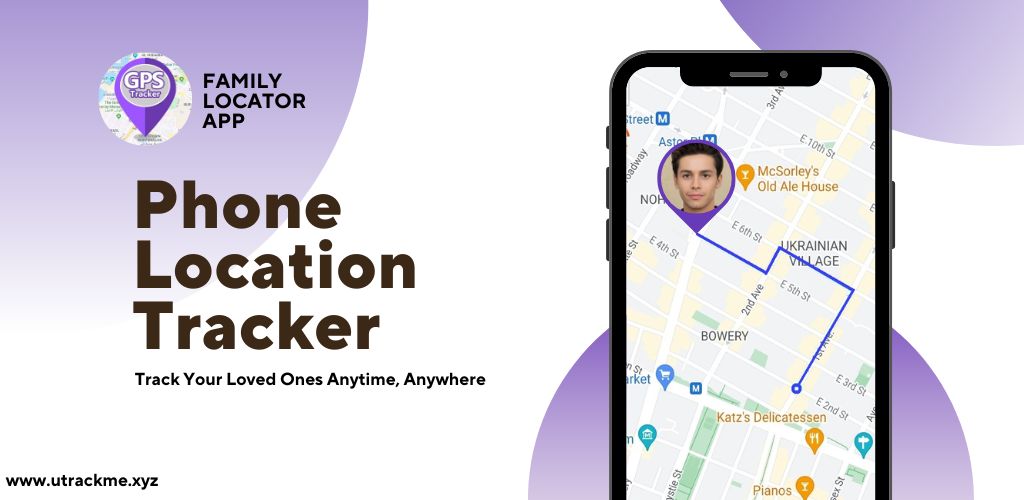
A family locator using mobile phone GPS is an application or service that allows people who have agreed to share their location to see one another's approximate or real-time position on a map. The smartphone acts as the location device, while the application handles sharing, visualization, notifications, and sometimes additional features such as location history or geofencing. Google Maps, for example, allows users to choose who can find their location and how long sharing remains active. Dedicated family applications can go further by organizing relatives into private groups or circles and adding family-specific tools around the basic location-sharing function. Life360, for example, describes its Circles as groups for family and friends and combines location sharing with features such as place alerts and location history. The distinction matters because GPS itself is not really the “family locator”; GPS is one of the technologies used by the phone to estimate its position. The family locator is the software layer that turns that position into something useful for people. Think of GPS as the phone's internal compass-and-map reference system and the family application as the messenger carrying that information to the people who have permission to receive it. That combination is what makes modern family location sharing practical.
How GPS Location Sharing Works
When someone enables location sharing, the phone periodically obtains a location estimate using available positioning technologies. GPS or other satellite-based positioning can provide a strong location signal outdoors, while Wi-Fi networks, cellular information, device sensors, and other signals can help improve availability or accuracy depending on the circumstances. The resulting location is then made available to the authorized application, which can send it to a backend service through the internet. The server can associate that update with the user's account and authorized family group before delivering the latest information to other members. Google states that its Location Sharing feature can provide selected people with a device's recent location and battery information, while location sharing can continue even when Google Maps Timeline is turned off. This illustrates an important point: a family locator is not simply reading GPS once and displaying it forever. It is an ongoing communication system in which permissions, location availability, connectivity, update frequency, server processing, and recipient access all influence what another person sees. If the phone cannot determine a reliable location, loses connectivity, has location permissions disabled, or restricts background activity, the map may show an old location rather than a fresh one. Good family locator apps therefore need to communicate the difference between “currently located” and “last known location” instead of pretending that every map marker represents a perfectly live position.
GPS, Wi-Fi, and Mobile Networks
Many people assume that a phone location tracker works exclusively through GPS satellites, but real-world smartphone positioning is more complicated. GPS can be highly useful outdoors, yet buildings, underground spaces, dense urban areas, mountains, weather conditions, and other environmental factors can affect positioning performance. A smartphone can supplement satellite positioning with Wi-Fi and cellular information, helping applications maintain a useful location estimate when pure GPS positioning is unavailable or less precise. Life360 explicitly explains that its service uses a combination of the phone's signal and GPS and recommends keeping Wi-Fi enabled because nearby Wi-Fi routers can contribute to location precision. This is one reason why a family member might appear to have a reasonably accurate position inside a city even when direct satellite reception is imperfect. It also explains why the little dot on a map should not be interpreted as an engineering-grade measurement. Family location sharing is generally about useful awareness, not surveying-level precision. If the app says that a child has arrived at school or that a family member is near home, that can be extremely helpful, but users should understand that smartphone location is an estimate with varying accuracy rather than an infallible coordinate.
Why Families Use GPS Location Sharing
The biggest reason families adopt location sharing is remarkably ordinary: people are busy. A teenager leaves school, a parent is driving home, a spouse is travelling across town, or an elderly relative is heading to an appointment, and everyone wants to know whether the person is okay without turning the situation into a series of phone calls. A family locator provides a quiet way to answer that question. Instead of calling someone during a meeting or sending several messages asking for an update, an authorized family member can check the shared map. Services have increasingly built around this behavior, with Life360 describing real-time family maps, check-ins, location history, and place alerts as parts of its location-sharing experience. The appeal is therefore not really about watching people every second. It is about reducing uncertainty during normal life. A parent may want reassurance that a child reached school; a couple may want to know when the other person is close to home; siblings may coordinate a pickup; relatives may stay connected while travelling. Used properly, location sharing can remove friction from everyday communication. Used carelessly, however, it can create unnecessary anxiety or invade someone's privacy, which is why consent and clear controls should sit at the center of the experience.
Staying Connected Without Constant Calls
One of the simplest advantages of a family locator is that it can replace repetitive “Where are you?” messages with a shared source of information. Imagine a family where one person is driving home from work, another is collecting a child, and someone else is shopping. Without location sharing, everyone may need to exchange individual updates. With a shared map, authorized members can see the information themselves. Google Maps supports choosing specific people and setting how long real-time location should be shared, while recipients can view someone on their map after that person has shared their location. That flexibility is important because not every location needs to be shared permanently. A family might share locations during a holiday, a long drive, a school commute, or an outdoor activity and then stop sharing afterward. Temporary sharing can also be useful when coordinating with someone who is not part of a permanent family group. The best experience is therefore not “everyone must always be visible.” It is “share when it makes life easier, with the people you choose, for the period that makes sense.” That distinction makes location technology feel supportive rather than intrusive.
Family Safety and Everyday Peace of Mind
Family location sharing can also provide reassurance during situations where communication is difficult. A parent waiting for a teenager who normally arrives at a particular time can check whether the phone is still moving toward home. A family member travelling alone can share their location during a journey. Someone attending an unfamiliar event can share their live position so relatives know where to meet them. Dedicated services can add automated alerts around these situations; Life360, for example, offers Place Alerts that can notify family members when someone arrives at or leaves designated locations. Google Maps similarly supports location-sharing notifications for arrival and departure at specific locations such as home or work. These features are valuable because they shift location sharing from passive map watching toward useful events. Nobody wants to stare at a moving dot all afternoon. A well-designed family locator tells you something meaningful when it matters, while leaving the rest of the day quiet.
How a Family GPS Tracker Works
A typical family locator can be understood as several layers working together. The smartphone obtains a location estimate, the application checks whether the user has authorized sharing, and a network connection sends location data to a backend service. The backend determines which family members are permitted to access the update, and the receiving application displays the result on a map. The process may also include location timestamps, battery information, accuracy estimates, geofence calculations, notification rules, and privacy settings. If any layer fails, the user experience can degrade. For example, a phone may have GPS enabled but the application may not have the required permission. Alternatively, the application may have permission but the operating system may restrict background activity, or the phone may be temporarily offline. Life360's support documentation illustrates this dependency clearly: a Circle member generally needs to be logged in, have location services enabled, and have location sharing enabled for their position to be visible; connection problems can cause the map marker to become greyed out. Understanding this architecture helps explain why “GPS tracker not updating” is rarely caused by GPS alone. A family locator is a chain, and every link matters.